
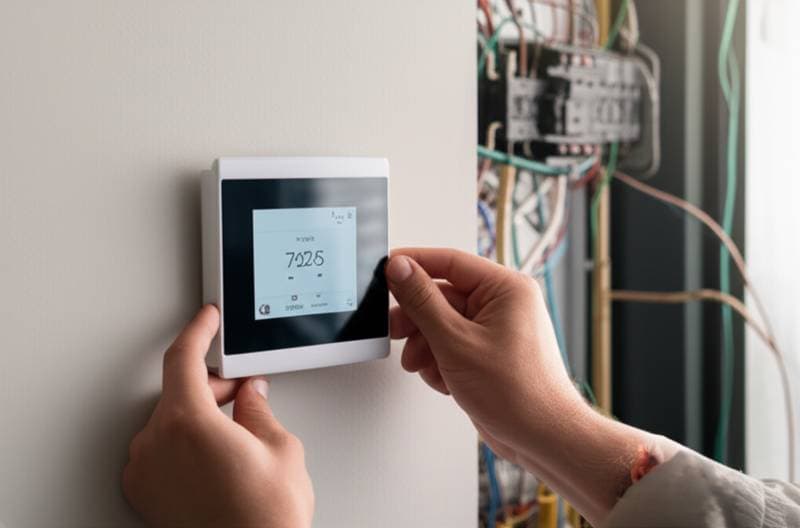
Introduction to Smart Thermostats and Energy Savings
Smart thermostats represent a significant advancement in home energy management. These devices learn user preferences and adjust temperatures automatically to optimize efficiency. In 2025, models achieve up to 30 percent reductions in energy bills by minimizing unnecessary heating and cooling.
Homeowners benefit from enhanced comfort without constant manual adjustments. Integration with modern home systems allows for seamless operation. Studies show that consistent use leads to substantial long-term savings, particularly in regions with variable climates.
Key Features Driving Efficiency
Adaptive scheduling learns daily routines and adjusts settings accordingly. Geofencing detects when residents leave or return home, shifting to energy-saving modes. Advanced sensors monitor humidity and occupancy to fine-tune performance.
Solar integration emerges as a key feature in 2025 models. These thermostats coordinate with photovoltaic systems to prioritize renewable energy use. Such capabilities extend beyond basic temperature control, supporting broader sustainability goals.
Tools Required for Installation
Before beginning installation, gather essential tools to ensure safety and precision:
- Non-contact voltage tester
- Insulated screwdriver
- Wire labels
- Level
- Drill with small bit for mounting
- Smartphone for app setup
These items facilitate a straightforward process while preventing electrical hazards.
Step-by-Step Installation Guide
Step 1: Power Down the HVAC System
Locate and turn off the breaker that controls the furnace or air handler. Use a non-contact voltage tester to confirm no power flows to the thermostat wires. This step eliminates risks during handling.
Step 2: Remove the Old Thermostat
Capture a photograph of the current wire connections for reference. Label each wire based on its terminal designation. Carefully detach the wires and remove the wall plate to expose the mounting area.
Step 3: Inspect the Wiring
Examine wires for signs of corrosion, damaged insulation, or aluminum materials. Presence of aluminum conductors requires immediate cessation of work. Consult a licensed electrician to address compatibility issues.
Step 4: Mount the New Thermostat Base
Mark positions and drill pilot holes for anchors. Insert anchors securely and use a level to align the base properly. Route wires through the designated opening in the base.
Step 5: Connect the Wires
Align each labeled wire with its matching terminal on the new base. Secure connections by tightening screws firmly but avoid excessive force. Proper seating prevents intermittent issues.
Step 6: Restore Power and Configure
Re-energize the system by flipping the breaker back on. Download the manufacturer's app and follow prompts to establish Wi-Fi connectivity. Input preferences to activate scheduling or learning functions.
If the unit does not power up, disconnect electricity promptly and verify wire placements. Ongoing power failures or breaker trips necessitate professional evaluation.
Integration with Solar and Energy Storage Systems
Smart thermostats enhance solar setups by automating energy consumption during peak production periods. For instance, the device can initiate precooling when solar output peaks, relying on generated power instead of the grid. This strategy lowers demand charges and preserves battery capacity.
Modern solar inverters often interface with smart home ecosystems. Users establish automation rules, such as activating heating only when solar generation surpasses immediate needs. Such synchronization maximizes returns on solar investments and promotes grid independence.
Common Problems and Troubleshooting
1. No Power to Thermostat
Verify the HVAC breaker and internal fuses remain operational. A disconnected or incorrectly wired C-wire often causes this issue. Professionals must inspect the air handler or furnace to trace control circuits.
2. Short Cycling
Rapid on-off cycles of the HVAC system indicate wiring errors or mismatched control settings. Power down immediately and summon a technician for diagnosis and correction.
3. Temperature Mismatch
Discrepancies across rooms suggest improper sensor positioning. Move sensors to avoid direct airflow from vents or sunlight exposure for accurate readings.
4. Wi-Fi Dropouts
Confirm the thermostat falls within the router's signal range. While connectivity lapses do not compromise safety, they limit remote control and data logging capabilities.
Selecting the Ideal Smart Thermostat
Choose a model that aligns with your HVAC configuration and home automation preferences. Evaluate options from established brands featuring adaptive learning, motion detection, or extensible APIs.
Essential Selection Criteria
- Compatibility with heat pumps, gas furnaces, or boilers
- Power requirements, such as C-wire dependency or battery operation
- Support for platforms like major smart home ecosystems
- Eligibility for utility rebates and incentives
- Built-in tools for energy tracking and analytics
Review user feedback and technical specifications to ensure long-term reliability.
Advancing Your Home Efficiency
Begin by assessing your current HVAC setup for smart thermostat compatibility. Always prioritize safety by de-energizing systems and using testing tools during modifications. Engage certified professionals for complex wiring scenarios involving aluminum or unclear configurations.
Leverage built-in energy reports to refine usage patterns and optimize schedules. Pair the thermostat with solar panels and storage solutions to amplify savings. These steps transform your home into an efficient, responsive environment that supports both comfort and conservation.