
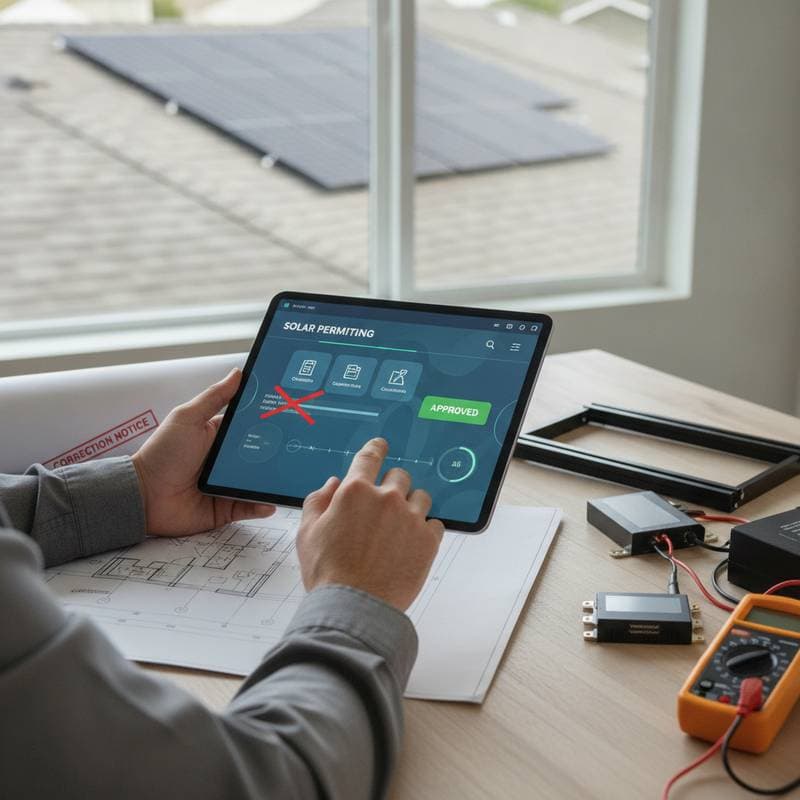
Solar Apps That Reduce DIY Permit Delays
DIY solar projects can lower labor expenses, yet permit delays often offset those savings. Incomplete forms, incorrect equipment specifications, missing diagrams, and unclear property details frequently trigger correction requests. Solar permitting apps help homeowners organize documentation before submission, though they cannot replace licensed electricians, permit offices, or required inspections.
A complete application typically moves through review more quickly than a rushed submission. No app can guarantee approval or eliminate every delay. Review speed depends on the local authority having jurisdiction, utility requirements, project complexity, and staff workload.
Begin With Safety Requirements and Local Regulations
Solar equipment generates dangerous voltage whenever sunlight reaches the panels. Never open energized equipment, remove service panel covers, or connect conductors unless you are qualified and authorized to do so. Stop work immediately if you discover damaged wiring, overheating, water intrusion, exposed conductors, or an overloaded service, and contact a licensed electrician.
Identify the authority having jurisdiction before selecting an app. This may be a city, county, township, or state office. Contact the AHJ to determine which forms, fees, plan details, inspections, and contractor credentials apply to your property.
Review these requirements first:
- Building, electrical, and structural permits
- Utility interconnection approval
- Roof structural documentation
- Electrical load calculations
- Rapid shutdown equipment specifications
- Grounding and bonding details
- Battery storage regulations, if applicable
- Contractor or electrician license requirements
- Historic district or zoning review
Permit requirements vary by location. An app can organize information, but only the AHJ can confirm what the jurisdiction accepts.
How Solar Permitting Apps Support the Process
Solar permitting apps combine checklists, document storage, design tools, and application workflows. Some connect directly to local permitting portals. Others generate plan sets, equipment schedules, single line diagrams, site plans, and electrical calculations.
The most useful features include:
- Address based permit checklists
- Roof measurement and shade analysis
- Panel layout tools
- Inverter and battery specifications
- Automatic system size calculations
- Single line diagram templates
- Structural and electrical worksheets
- Photo uploads
- Application status tracking
- Correction notice management
- Shared access for homeowners and licensed professionals
The primary time saving benefit comes from reducing preventable corrections. A complete packet allows reviewers to assess the project without requesting basic information.
Building a Permit Ready Packet
Follow a consistent process. Do not submit a plan set simply because an app marks it complete.
Confirm Property and Project Scope
Enter the exact service address, parcel information, roof type, utility provider, and system configuration. State whether the project includes batteries, a new main panel, an electrical service upgrade, or an electric vehicle charger.
A mismatch between the application address and utility account can delay interconnection. A missing battery can trigger a correction or separate review.
Select Listed Equipment
Record the manufacturer and model number for every panel, inverter, optimizer, battery, disconnect, rapid shutdown device, racking component, and service panel. Use equipment listed by a recognized testing laboratory such as UL when required by the AHJ.
Do not rely on similar model numbers. Small differences can change electrical ratings, installation instructions, or approval status.
Create Clear Drawings
A permit packet usually requires a site plan, roof plan, equipment layout, structural information, and single line diagram. The diagram should show panels, conductors, disconnects, inverter, battery, service equipment, grounding path, and connection point.
Use plain labels and readable symbols. Include conductor sizes, overcurrent protection, voltage, current, equipment ratings, and installation locations where required.
Verify Electrical Calculations
The app may calculate array output, inverter current, conductor ampacity, voltage drop, and breaker sizing. Review these results against the National Electrical Code and local amendments.
A licensed electrician should verify the calculations, especially when the design connects to an existing service. A panel may lack capacity for a solar backfeed breaker. A load side connection, supply side connection, or service upgrade may require different equipment and documentation.
Upload Supporting Documents
Add roof photos, equipment cut sheets, structural letters, property authorization, utility forms, and proof of license or insurance if requested. Use clear file names that identify each document.
Keep one final packet. Multiple versions with conflicting panel counts or equipment models create confusion during review.
Homeowner Tasks and Professional Requirements
Homeowners can often gather property records, photograph the site, enter equipment data, track application status, and communicate with the permit office. They may also prepare a draft application when local rules allow it.
Professional review is required for high risk work, including:
- Service panel modifications
- New or replacement electrical services
- Battery installation
- Roof structural changes
- Conductor terminations
- Grounding and bonding
- Energized equipment
- Final testing and commissioning
Only a licensed electrician can fully inspect, test, and replace high risk electrical components. Some inspections do not verify wire condition behind finished surfaces. A permit approval also does not guarantee that hidden wiring is safe.
Common App and Permit Issues
Watch for these warning signs:
- The app lists the wrong AHJ
- The equipment schedule omits a disconnect
- The diagram does not show rapid shutdown
- The proposed breaker exceeds panel limitations
- Roof setbacks are missing
- Battery clearances are unclear
- Utility forms use different system sizes
- Uploaded drawings are blurry or incomplete
- The application names an unlicensed installer when licensing is required
If a reviewer sends corrections, read every comment before revising the packet. Answer each item directly. Do not upload a new drawing while leaving an older conflicting version in the portal.
Improving Approval Speed
Use the app as a quality control system, not a shortcut. Download the AHJ checklist, then compare each requirement with the app output. Ask a licensed solar professional to review the packet before submission. This step can cost less than repeated correction cycles.
Contact the permit office with focused questions. Ask whether electronic signatures are accepted, which plan format is required, whether a standard solar permit applies, and whether an inspection must be scheduled before utility approval.
A permit tracking dashboard can show when the application is received, under review, returned for corrections, approved, or ready for inspection. Save confirmation numbers and every approved document.
Selecting the Right App for Your Project
Choose a solar permitting app that supports your AHJ, exports readable plans, stores equipment records, and allows a qualified professional to review the design. Confirm local permit, utility, licensing, and inspection rules before purchasing equipment.
Do not schedule installation or energization until the required permits and utility approvals are complete. Keep the approved plans at the property, follow the inspection sequence, and have a licensed electrician perform testing and final connections. Proper preparation can shorten avoidable delays while protecting your home, workers, and electrical system.